
Open source · MIT license · Windows & Linux
Atak Viewer: a free MOV player for Windows and Linux
Double-click a .mov file and it plays, including the MOV files built-in players can't open: iPhone HEVC (H.265), 10-bit 4:2:2 footage from cameras such as Fujifilm, and Apple ProRes.
- Free and open source
- Windows installer about 42 MB, FFmpeg included
- Your videos never leave your computer
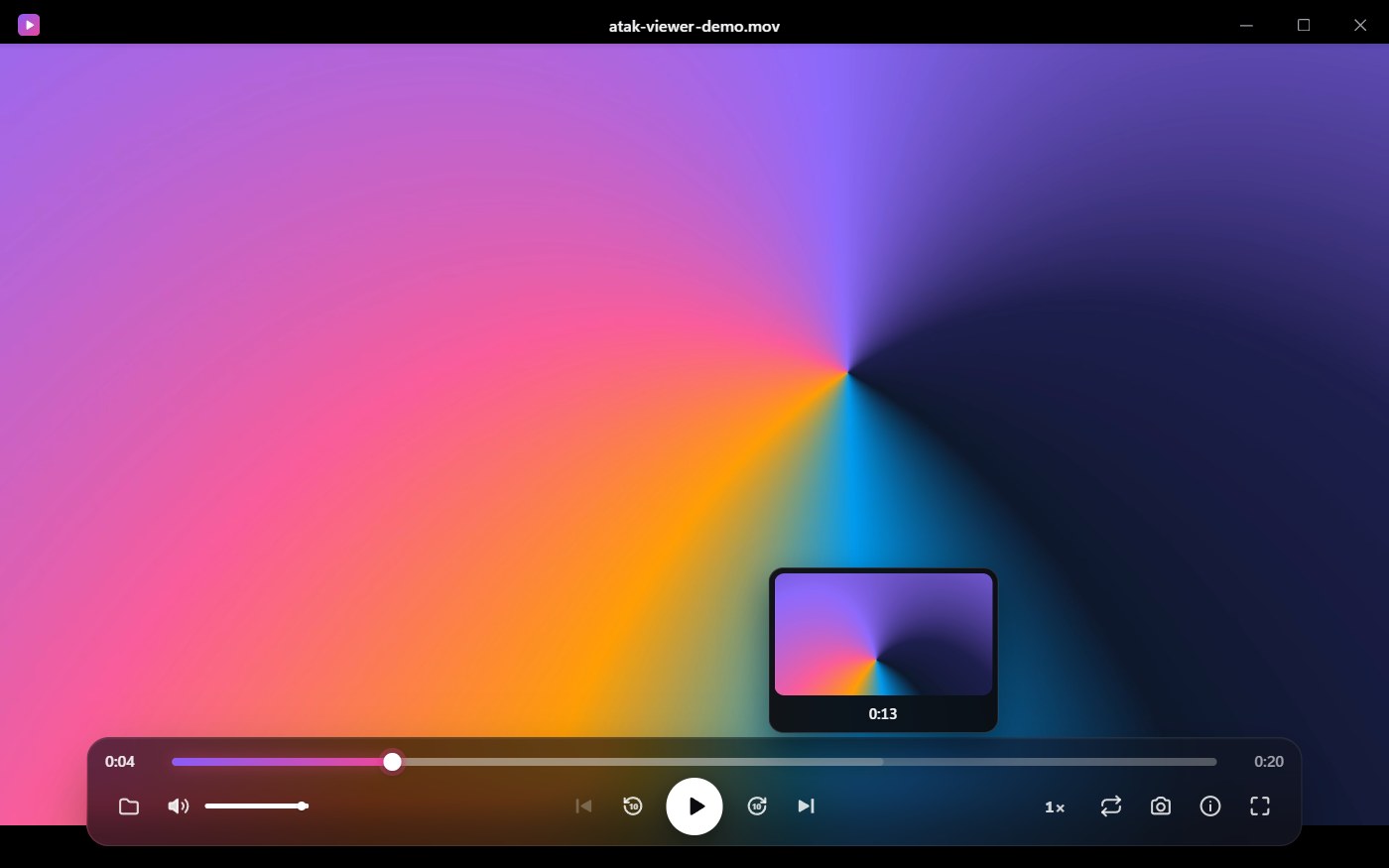

Why won't my MOV file play on Windows?
MOV is a container: Apple's QuickTime format. The video inside it can be H.264, HEVC (H.265), ProRes or another codec, and whether a player can open the file depends on that codec, not on the .mov extension.
Windows and browser-based players decode HEVC only with the graphics card, and most graphics cards can't decode the 10-bit 4:2:2 HEVC that recent cameras record. The result is sound with a black screen, or an error message.
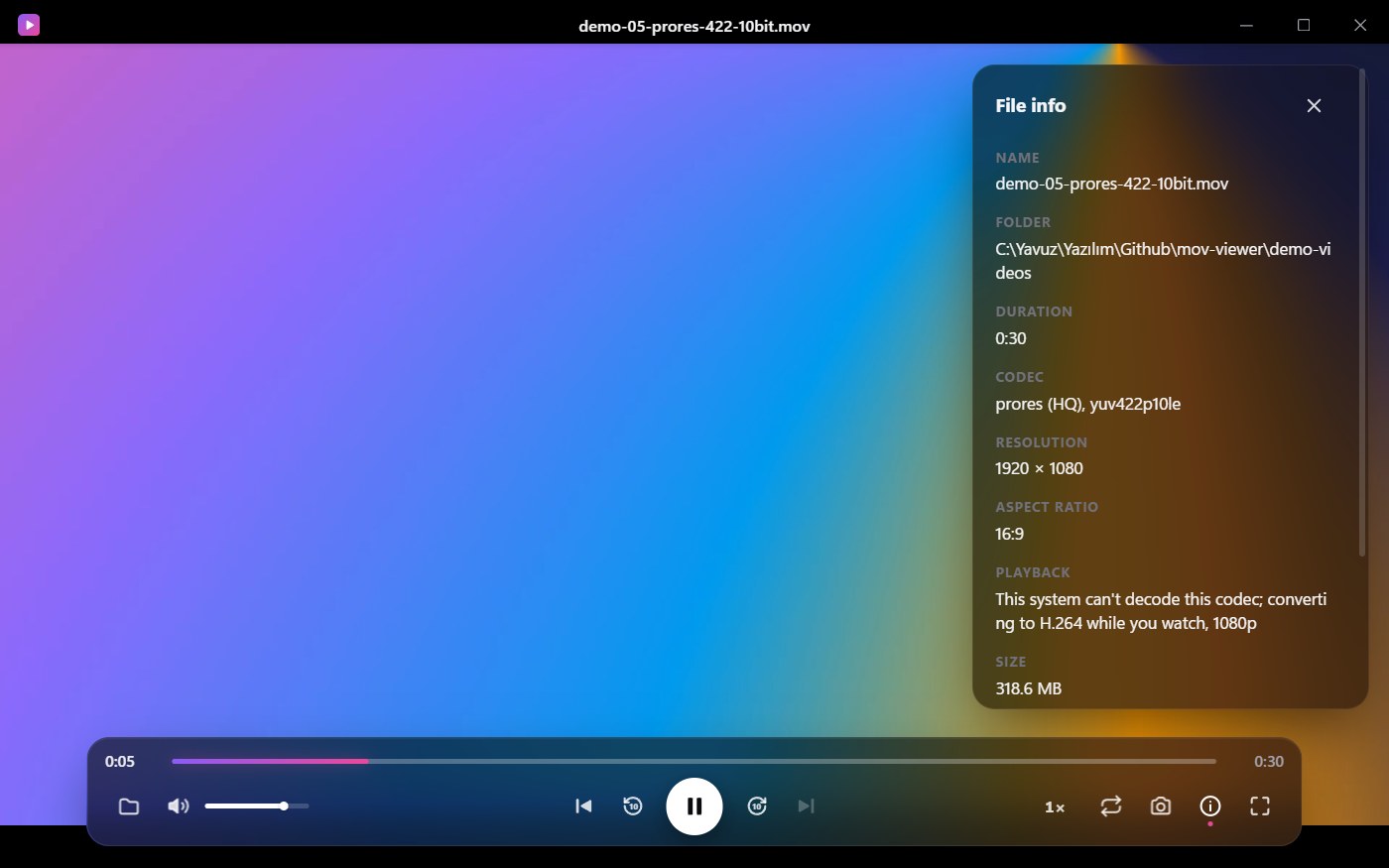
Atak Viewer detects this and decodes the video with the bundled FFmpeg instead. It converts while you watch: playback starts in about two seconds instead of after a full conversion, and the progress bar shows how much is ready. A video watched to the end is cached, so next time it plays directly.

How to play MOV files on Windows
-
Download and install
Download the Windows installer from the latest release on GitHub and run it.
-
Open the .mov file
Double-click any .mov file: the installer associates .mov files with Atak Viewer. You can also drag the file into the window or press Ctrl+O.
-
Watch
If Windows can't decode the video, Atak Viewer converts it in the background and starts playing right away.
The installer isn't code-signed yet, so Windows SmartScreen may show a warning. Click More info → Run anyway. The installer is built from the public source code.

A free HEVC player: no HEVC Video Extensions needed
iPhones record video in HEVC (H.265). Windows plays HEVC only when Microsoft's HEVC Video Extensions are installed, and many PCs don't have them. Without the extension, an iPhone video won't open, or it plays as sound with a black screen.
Atak Viewer doesn't depend on the extension. If it's installed, iPhone videos play directly; if it isn't, Atak Viewer converts the video with its bundled FFmpeg while you watch. The same goes for 10-bit 4:2:2 HEVC from cameras, which most graphics cards can't decode even with the extension.

Install the MOV player on Linux
Download one of the Linux packages from the latest release (64-bit x86). The .deb and .rpm packages register Atak Viewer for .mov files, so it appears under “Open with” in your file manager.
AppImage
Any distribution, nothing to install.
chmod +x atak-viewer_*.AppImage
./atak-viewer_*.AppImage
Ubuntu, Debian (.deb)
Installs the H.264 and HEVC decoders (gstreamer1.0-libav) automatically.
sudo apt install ./atak-viewer_*.debFedora, openSUSE (.rpm)
On Fedora, also install gstreamer1-plugin-openh264 (or gstreamer1-plugin-libav from RPM Fusion).
sudo dnf install ./atak-viewer*.rpmOn Linux the video engine is GStreamer. If a heavy file such as 4K 4:2:2 HEVC can't keep up, Atak Viewer switches to FFmpeg at the same position.
Which MOV formats does it play?
What's inside a .mov file decides how it plays. The table shows Windows; on Linux, GStreamer plays all four directly when its libav plugin is installed, and Atak Viewer converts whatever doesn't play smoothly.
| Where the file comes from | Video codec inside the .mov | How Atak Viewer plays it |
|---|---|---|
| Most cameras, phones, screen recordings | H.264 | Directly |
| iPhone, iPad | HEVC (H.265), 8 or 10-bit 4:2:0 | Directly when Windows' HEVC Video Extensions are installed, otherwise converted while playing |
| Cameras recording 10-bit 4:2:2 (e.g. Fujifilm) | HEVC 4:2:2 10-bit | Converted while playing (up to 1440p) |
| Editing software exports | Apple ProRes | Converted while playing (up to 1440p) |
Atak Viewer also opens .mp4, .m4v and .webm files.
Features
Opens MOV files other players can't
H.264 plays directly; HEVC 4:2:2 10-bit and ProRes are converted while you watch.
Instant re-opens
A video watched to the end is cached and plays directly next time.
Resume where you left off
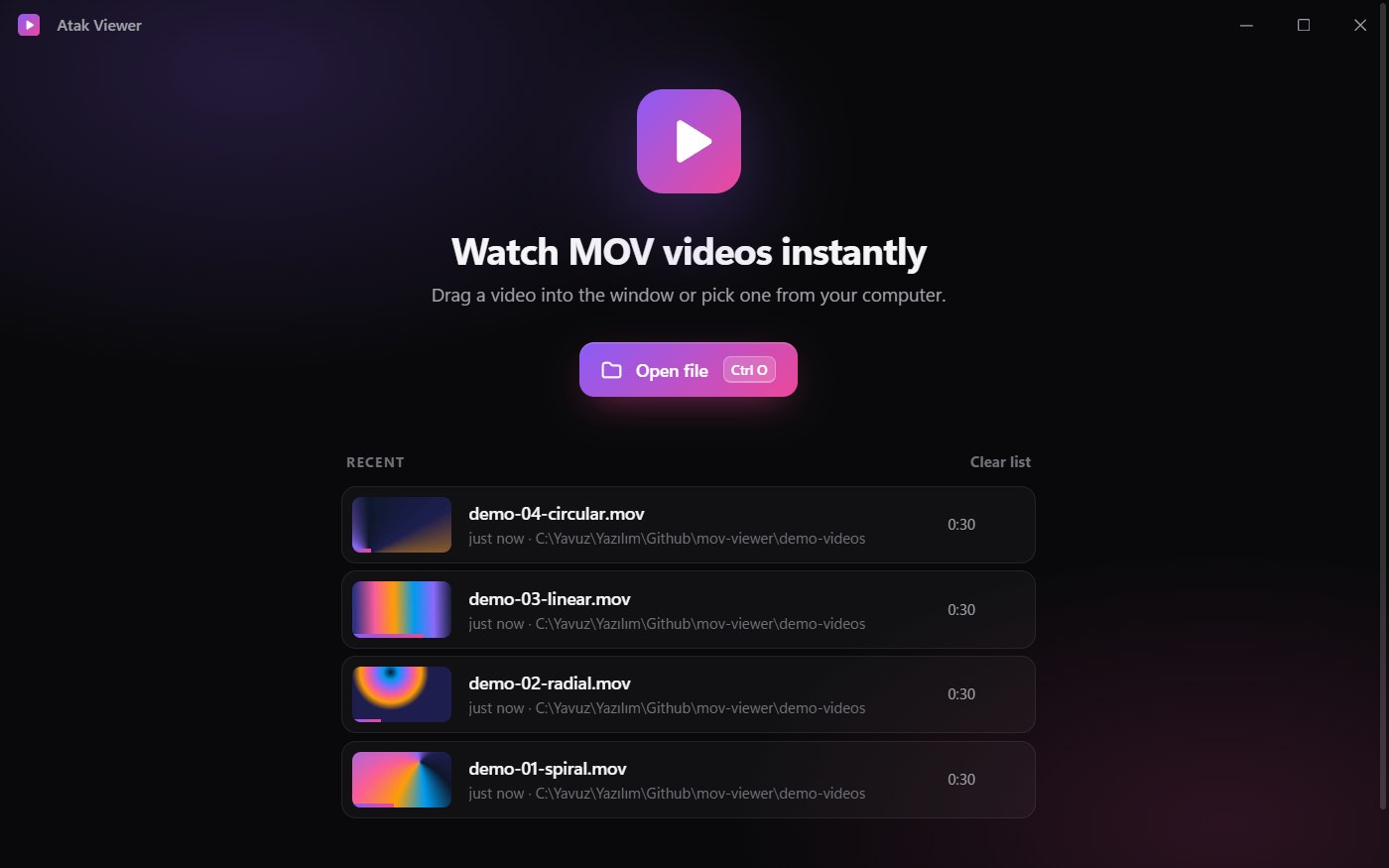
The recent-files list shows a thumbnail of the last frame you saw.
Precise playback
Frame-by-frame stepping, 0.25×–2× speed, loop and PNG frame snapshots.
Folder playlist
Jump to the previous or next video in the same folder.
Keyboard first
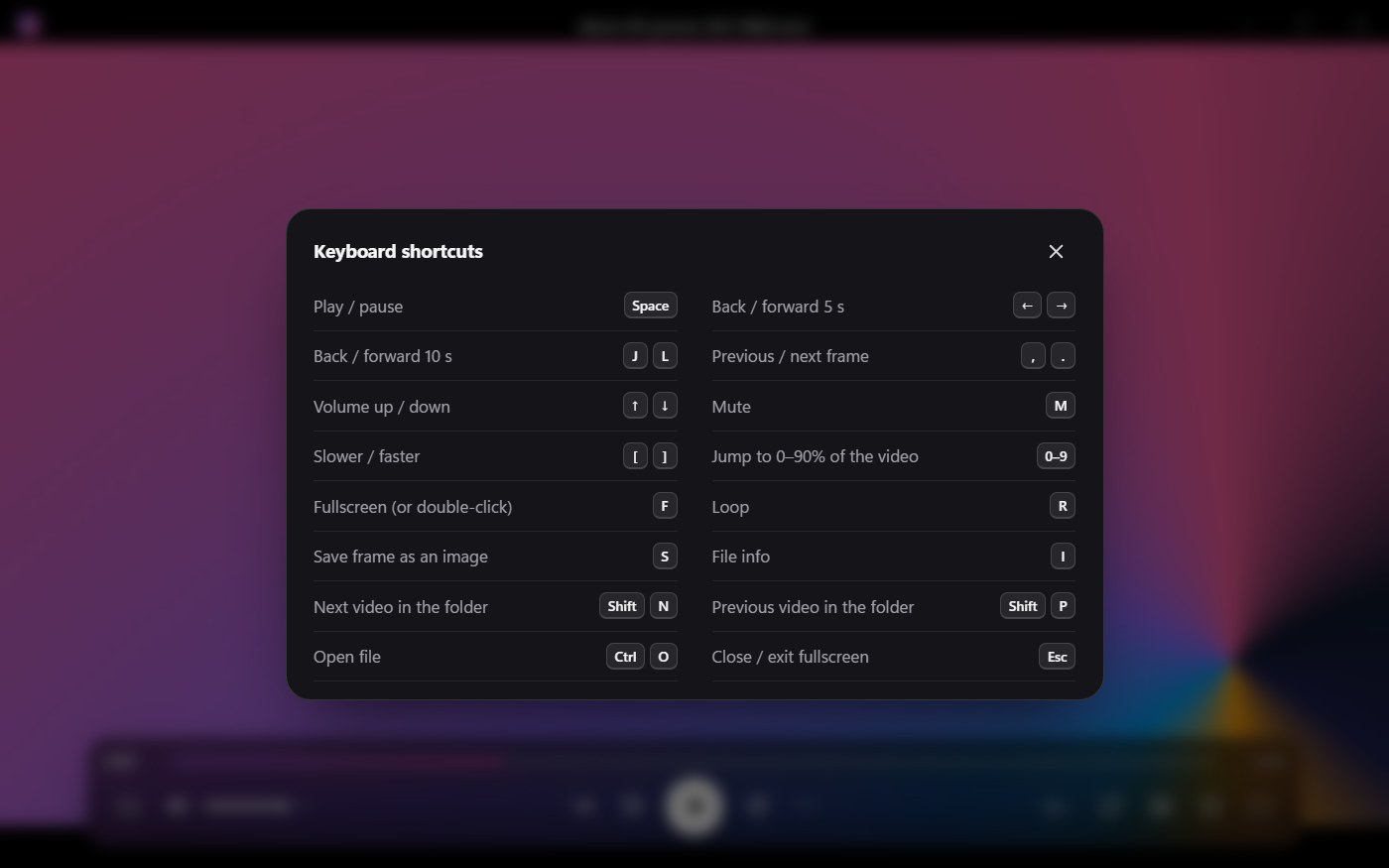
Space, J/K/L, arrow keys, F for fullscreen. Press ? in the app for the full list.
Light
Built with Tauri (Rust) instead of Electron; the Windows installer is about 42 MB including FFmpeg.
Private
Everything runs on your computer, and the original file is never changed.
Screenshots
Frequently asked questions
Windows' built-in players handle .mov files with H.264 video. iPhone HEVC needs Microsoft's HEVC Video Extensions, and ProRes or 10-bit 4:2:2 HEVC from cameras usually doesn't play at all. Atak Viewer plays all of them, for free.
Install Atak Viewer and double-click the file: the installer associates .mov files with it. You can also drag the file into the window or press Ctrl+O.
MOV is Apple's QuickTime video format. It's a container: the video inside can be H.264, HEVC (H.265) or ProRes, and that codec decides which players can open it.
The video inside the file is probably HEVC 4:2:2 10-bit or ProRes, which your graphics card can't decode. Atak Viewer decodes it with FFmpeg instead, so the picture appears.
Not with Atak Viewer. It uses the extension when it's installed and converts the video with FFmpeg when it isn't.
Yes. It's free and open source under the MIT license.
No. Everything runs on your computer, and the original file is never changed.
Into the app's cache folder, capped at 4 GB; the oldest copies are removed first.
Apple stopped updating QuickTime for Windows in 2016, and it never supported HEVC. For watching .mov files on Windows, Atak Viewer is a free, maintained alternative that also plays HEVC and ProRes.
Yes. Atak Viewer also opens .mp4, .m4v and .webm files.
64-bit x86 distributions with WebKitGTK 4.1. The packages are built on Ubuntu 22.04 and tested on Ubuntu 26.04; the AppImage brings its own libraries and should run on most other distributions.
The installer isn't code-signed yet, so Windows doesn't recognize the publisher. Click More info → Run anyway. The source code is public on GitHub, and the installer is built from it.
Play your MOV files now
Free for Windows and 64-bit Linux. No account, no upload.