
Free · Windows & Linux · Tauri + Rust
Atak Redis Desktop Manager: a fast Redis GUI for Windows and Linux
A keyboard-first desktop Redis client: browse keys as a tree, edit every data type, run commands in a console and change thousands of keys at once, with a preview first. Coming from Another Redis Desktop Manager? Your connections import in one click.
- Free download
- Windows installer about 4.6 MB
- Passwords stay in your OS keychain
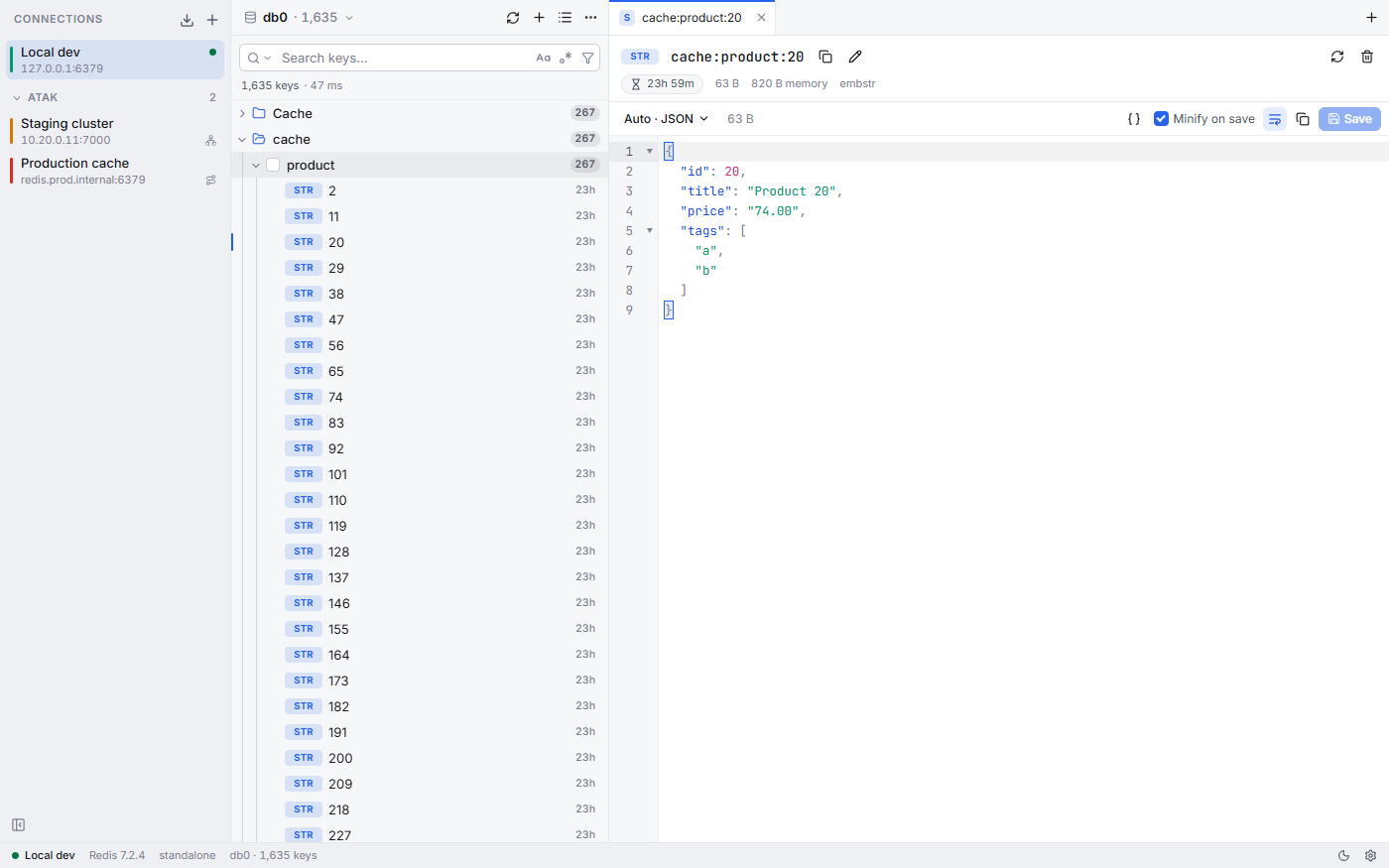

Built for speed
- 200,000 keys in about 2.5 seconds the scan streams in chunks
- 60 fps scrolling the key list is virtual
- 4.6 MB Windows installer Tauri + Rust
The animation runs at the app's real pace: 200,000 keys load in about 2.5 seconds.

Switching from Another Redis Desktop Manager (ARDM)
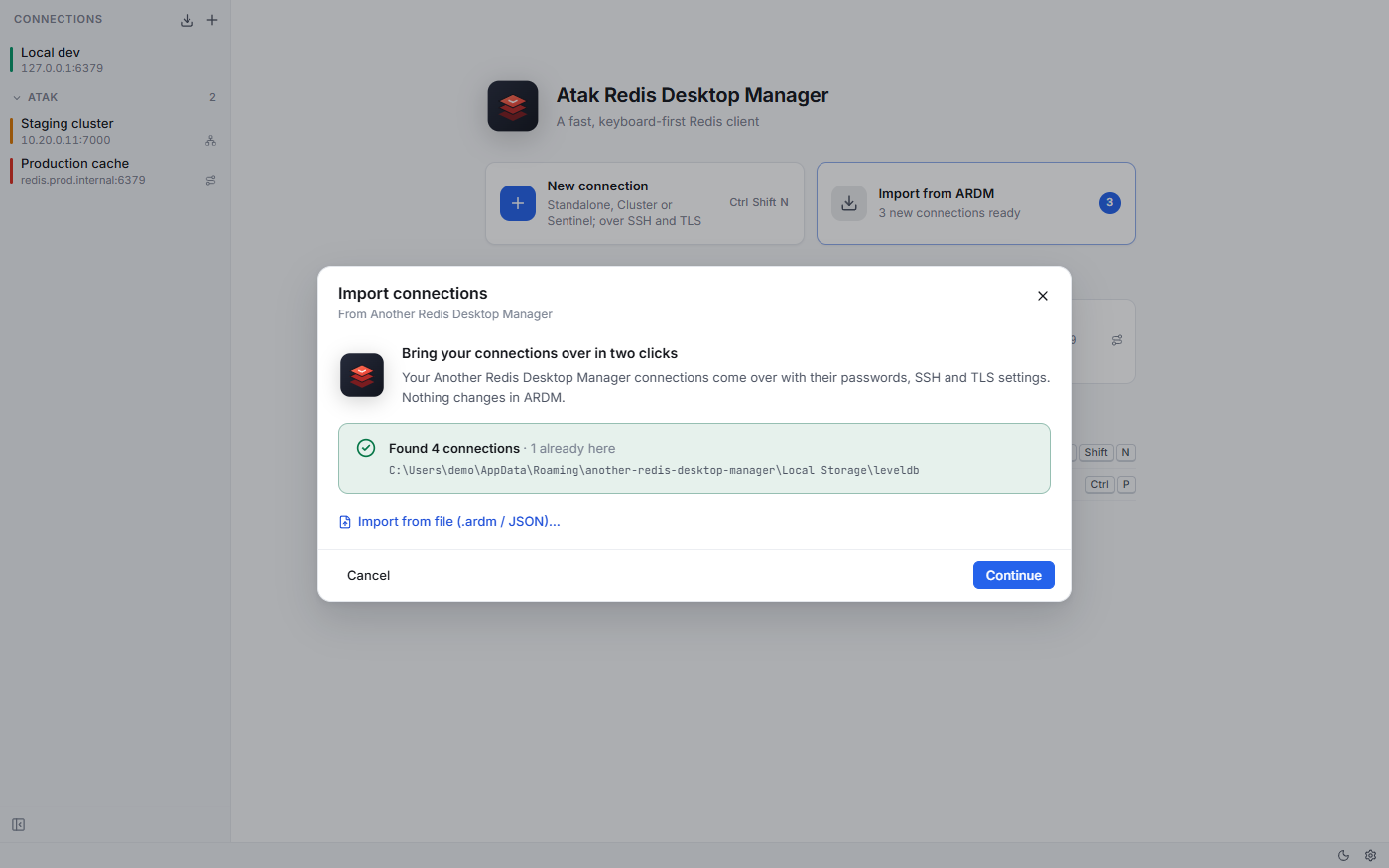
Atak Redis Desktop Manager was written to replace Another Redis Desktop Manager. On first launch it finds ARDM's local data and brings your connections over with their passwords, SSH, TLS, Sentinel and Cluster settings.
ARDM's data is never touched: the app reads a copy. An .ardm export file can be imported too.
Features
Fast with large databases
Scanning streams in chunks and the key list is virtual: 200,000 keys load in about 2.5 seconds and scroll at 60 fps.
Search that gets case right
Toggle case sensitivity with Aa (Alt+C). Case-insensitive search is filtered on the server, and Turkish İ/ı/I/i match correctly. Contains, starts with, exact, glob and regex (Alt+R).
Every data type
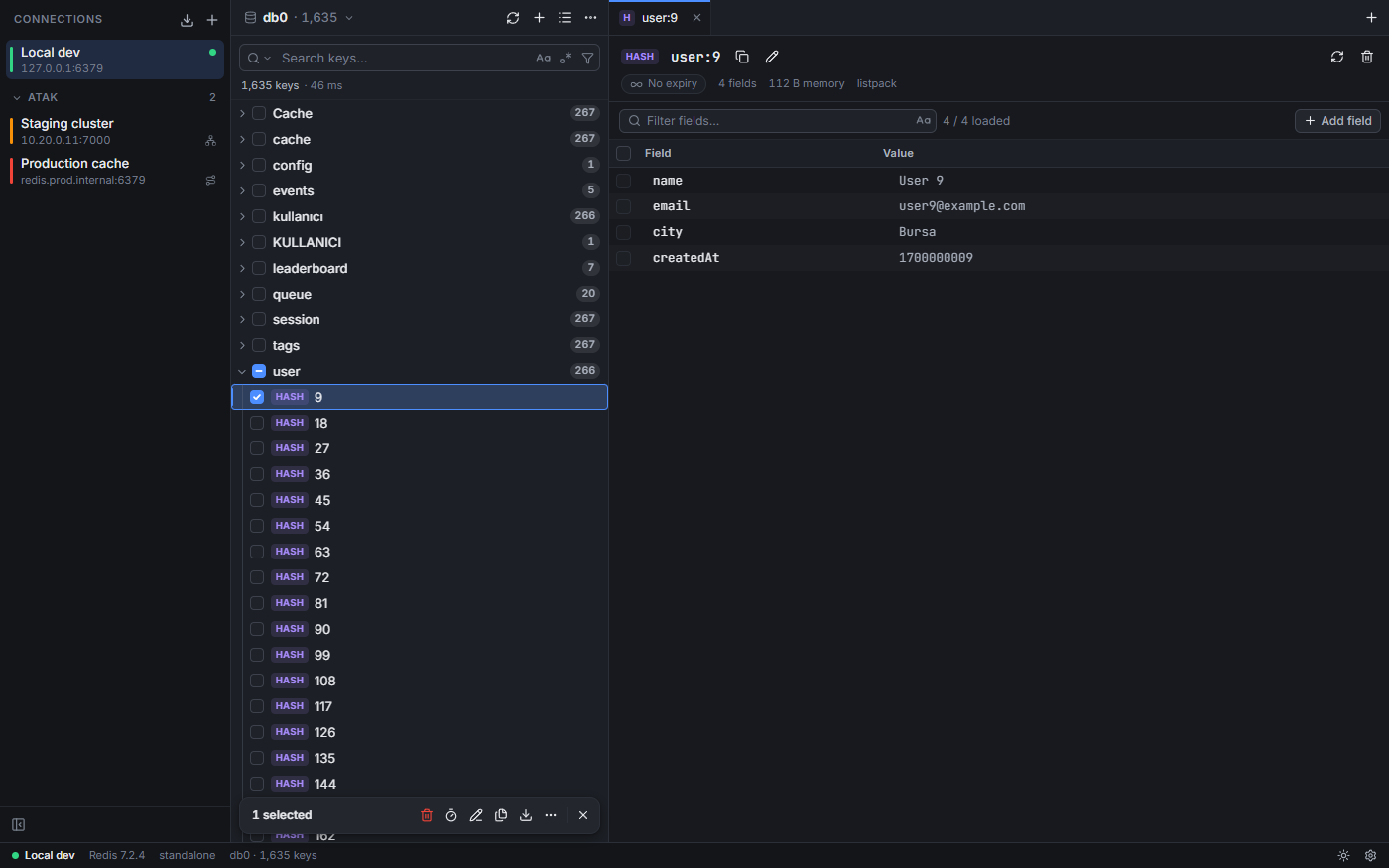
String (text, JSON, hex, Base64, Gzip/Deflate/Zlib/Brotli, MsgPack, PHP serialize), hash, list, set, sorted set, stream with consumer groups, and RedisJSON. Binary keys and values stay lossless.
Console
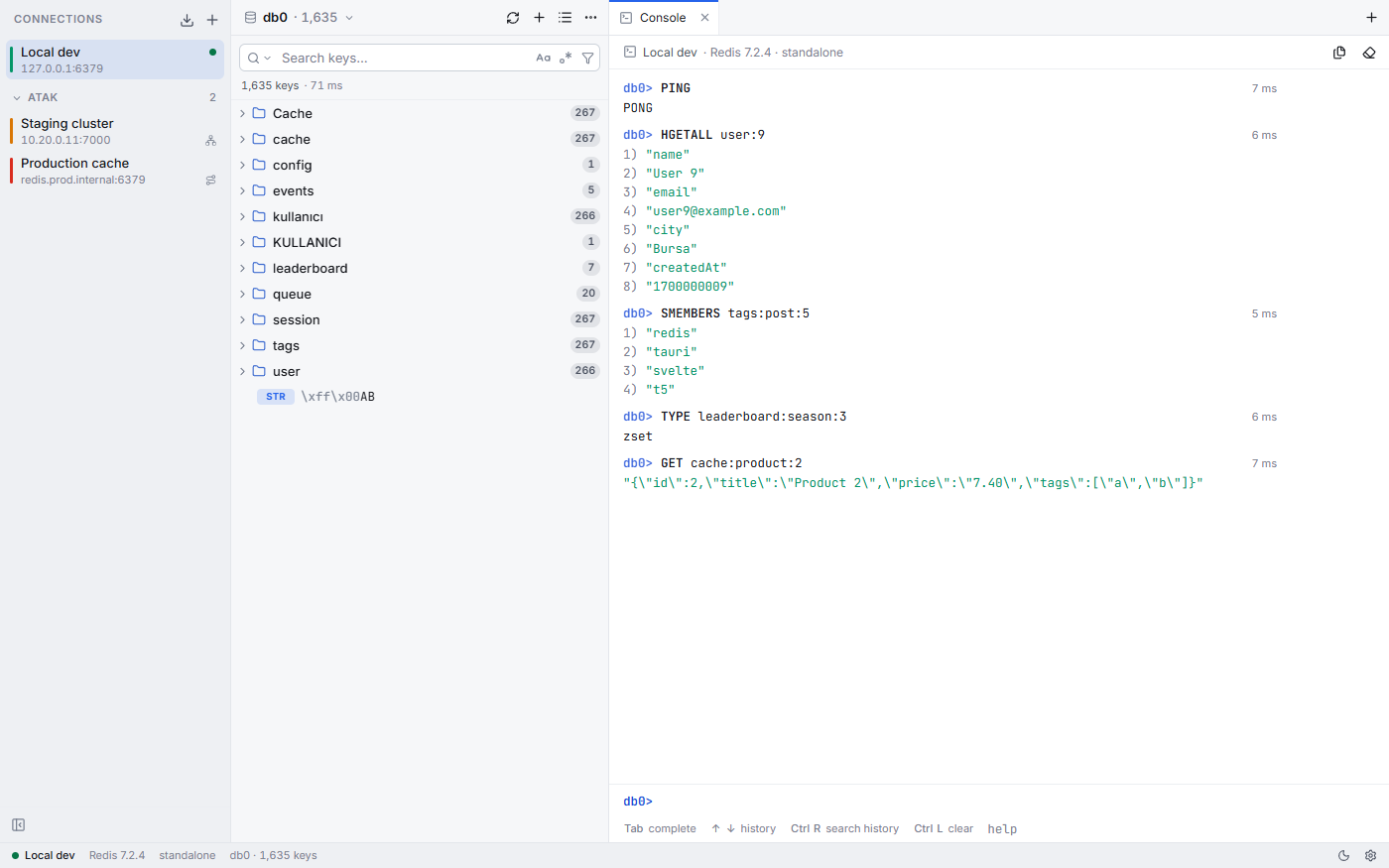
redis-cli style output, command completion and syntax hints, history, and confirmation for dangerous commands; Pub/Sub and MONITOR.
Server panel
INFO, CONFIG and CLIENT LIST, plus slow queries.
Keyboard first
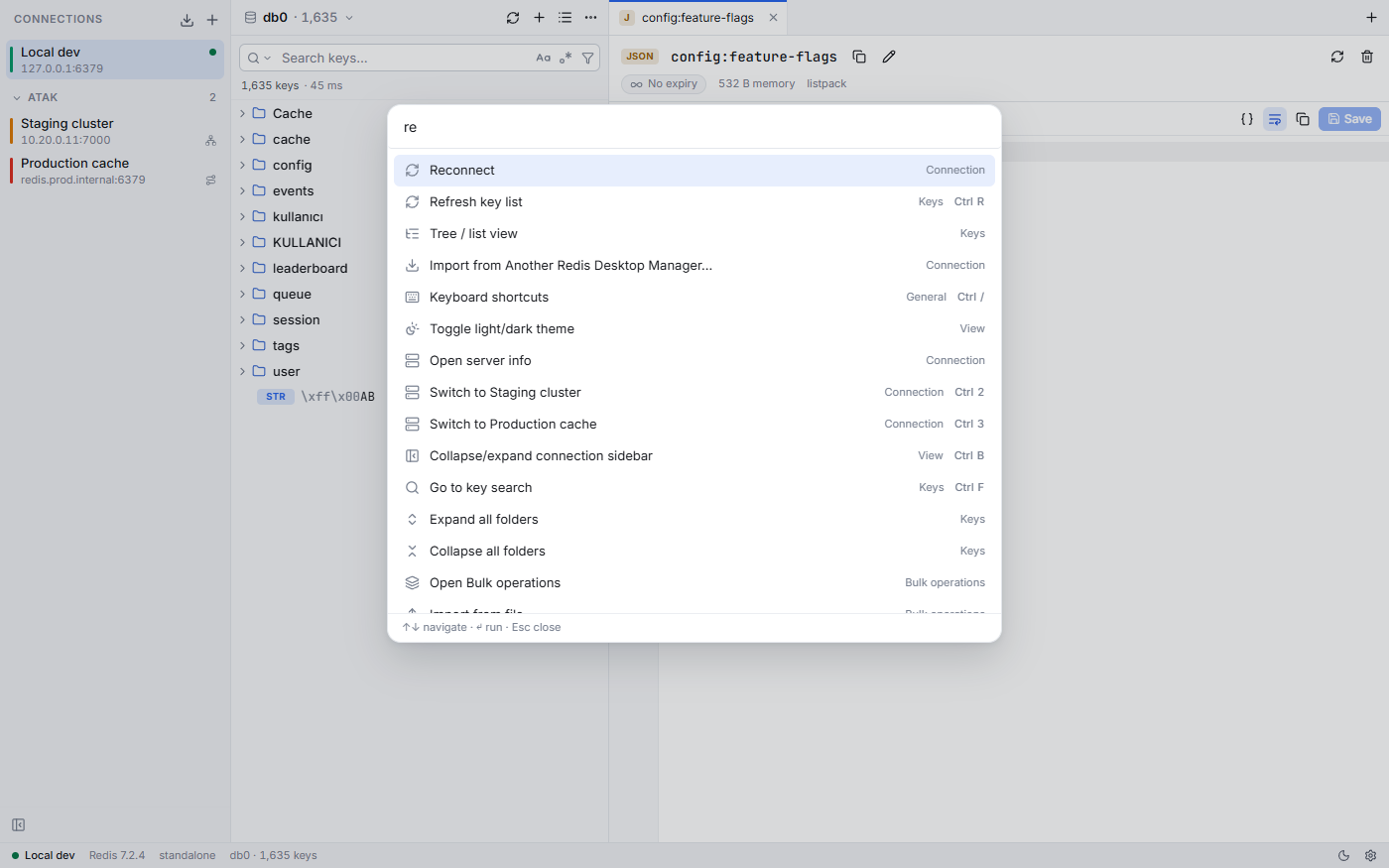
Ctrl+K command palette, Ctrl+P go to key, Ctrl+` console; light and dark theme; English and Turkish.

Bulk operations with a preview first
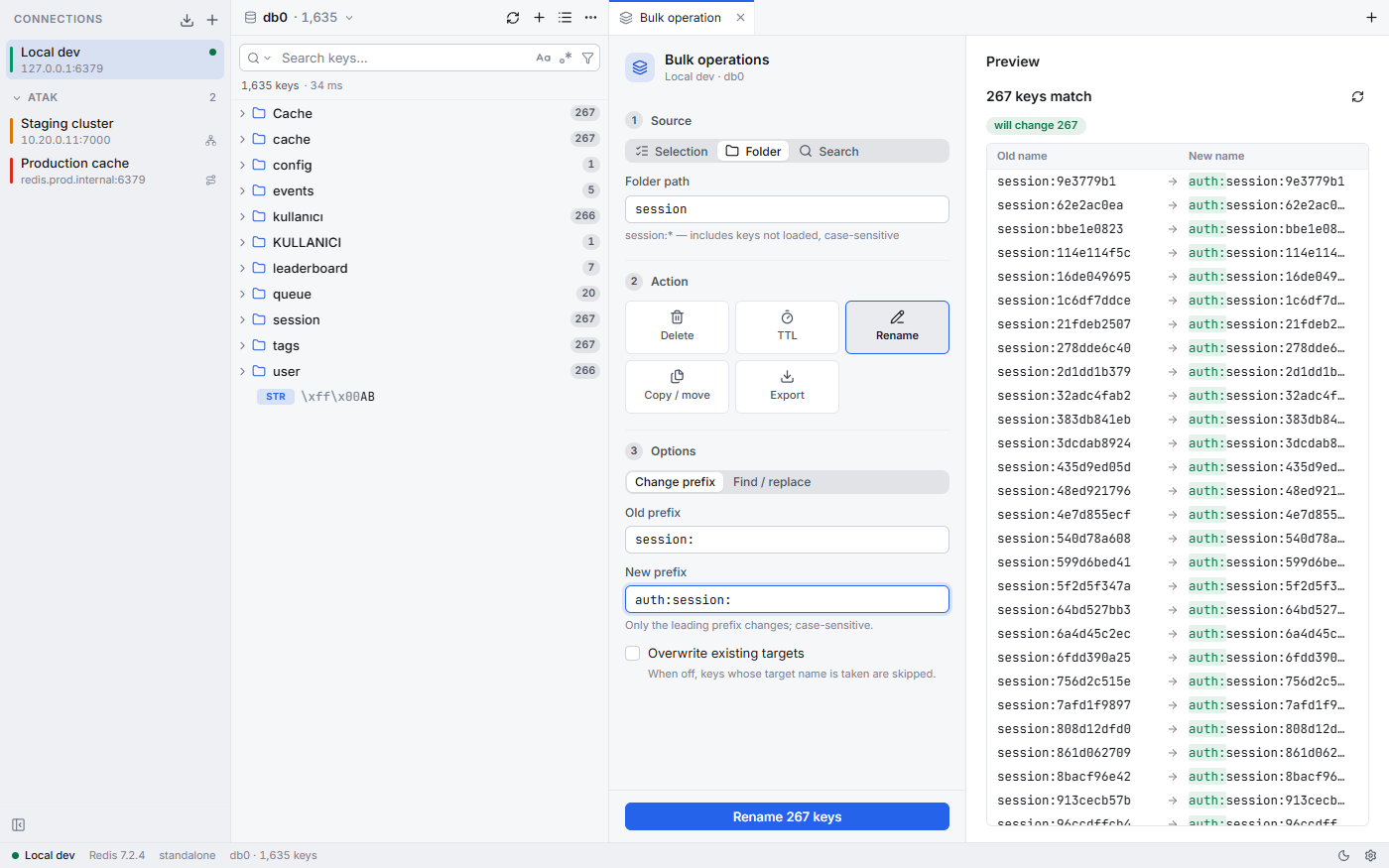
Pick a selection, a folder or a search, then delete, set a TTL, rename or change a prefix (regex $1 included), copy or move to another database or connection, or export and import as DUMP or readable JSON.
Before anything runs, the server counts exactly what matches and the preview shows each old → new name. Progress can be cancelled; in production you confirm by typing the connection name, and you can write a backup before deleting. Gmail-style “select all matches on server” covers keys that aren't loaded yet.

Connections it supports
| Connection | What's supported |
|---|---|
| Standalone | ACL username, database, read-only mode, environment label |
| Cluster | Its own cluster router, following MOVED and ASK redirects |
| Sentinel | Master name and Sentinel credentials |
| TLS | CA, client certificate and SNI |
| SSH tunnel | Password, private key or agent; works with Cluster too |
Passwords are stored in the operating system's keychain.
Install on Windows and Linux
Download a package from the latest release on GitHub (64-bit).
Windows
Run the -setup.exe installer (about 4.6 MB).
AppImage
Any Linux distribution, nothing to install.
chmod +x Atak.Redis.Desktop.Manager_*.AppImage
./Atak.Redis.Desktop.Manager_*.AppImage
Ubuntu, Debian (.deb)
For Debian-based distributions.
sudo apt install ./Atak.Redis.Desktop.Manager_*_amd64.debFedora, openSUSE (.rpm)
For RPM-based distributions.
sudo dnf install ./Atak.Redis.Desktop.Manager-*.rpmThere's no macOS package yet.
Screenshots

Frequently asked questions
A desktop app for working with a Redis database visually: you browse keys as a tree, open values in editors and run commands in a console instead of typing everything in redis-cli. Atak Redis Desktop Manager is a Redis GUI for Windows and Linux.
Yes. It was written to replace ARDM, and on first launch it imports your ARDM connections with their passwords, SSH, TLS, Sentinel and Cluster settings, without changing ARDM's data.
Yes. Cluster connections use the app's own router, which follows MOVED and ASK redirects, and Sentinel connections are supported too.
Yes. SSH tunnels work with a password, a private key or an agent, including for Cluster. TLS supports a CA, a client certificate and SNI.
In your operating system's keychain.
Scanning streams in chunks and the key list is virtual: 200,000 keys load in about 2.5 seconds and scroll at 60 fps. Type and TTL badges are requested only for the rows you can see.
Not as a package yet. Releases are for Windows and Linux.
Yes. Download it for free from GitHub Releases.
Manage your Redis databases faster
Free for Windows and 64-bit Linux.